 docsava Smart Tools for Everyday Documents
Docsava is an all-in-one online PDF tools platform designed to help students, professionals, freelancers, and businesses manage digital documents efficiently. From converting PDF files to Word, compressing large PDFs, merging multiple documents, to splitting pages precisely, Docsava helps you complete document tasks faster without installing software or sharing sensitive files.
Unlike traditional PDF software, Docsava processes your files locally. This means your documents are never uploaded to any server, making our tools ideal for confidential files such as contracts, invoices, resumes, legal documents, and business reports.
Why Choose Docsava PDF Tools?
Docsava is built with a strong focus on privacy, performance, and ease of use. Our tools work entirely inside your browser, ensuring maximum data security and fast processing even on slower internet connections.
Managing documents should not be complicated. Online document tools allow users to complete everyday tasks quickly without installing heavy software or learning complex interfaces.
Docsava focuses on simplicity and accessibility. Whether you are submitting assignments, preparing reports, or organizing scanned documents, our tools help you work efficiently from any device.
Our platform is continuously improved to ensure stable performance, ease of use, and compatibility across modern web browsers.
- Free online PDF tools with no registration required.
- No Upload or Email Required: Files stay on your device.
- Mobile-Friendly: Optimized for Android, iPhone, and low-end devices.
- Business-Ready: Ideal for office documents, contracts, invoices, and reports.
- Fast Processing: Modern browser-based technology for quick results.
Docsava Popular Document Tools
Docsava offers a complete set of free PDF tools online optimized for both desktop and mobile devices, including low-RAM Android phones. Whether you want to merge multiple PDFs into one file or compress large PDFs for email sharing, our tools deliver professional results in seconds.
-
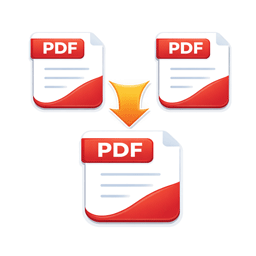 Merge PDF
Combine multiple PDF files into one document. -
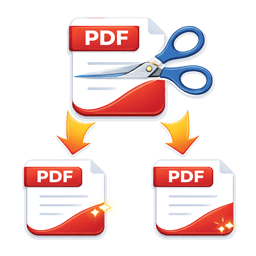 Split PDF
Extract pages or split PDF into multiple files. -
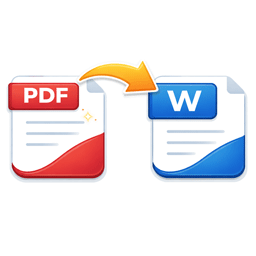 PDF to Word
Convert PDF documents into editable Word files. -
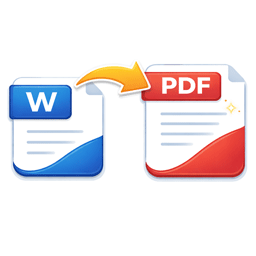 Word to PDF
Turn Word files into PDF format easily. -
 Compress PDF
Reduce PDF file size while maintaining readability. -
 Image to PDF
Convert JPG or PNG images into PDF files.
Free Online PDF Tools – Fast, Secure & No Upload Required
Docsava provides free PDF tools online to merge, split, compress, and convert documents instantly. Convert PDF to Word, Word to PDF, Image to PDF — all processed securely in your browser.
No sign-up. No email. No installation. Optimized for Android, low-RAM devices, and mobile browsers.
Privacy-First PDF Tools
Security is a top priority at Docsava. All PDF processing happens locally in your browser. We do not upload, store, log, or analyze your files. This approach ensures maximum confidentiality for sensitive documents.
If you are searching for a secure PDF tool without upload, Docsava is the safest choice for both personal and professional use.
- No file upload
- No account or email required
- Client-side processing
- No document storage or tracking
- Secure for confidential and business documents
- Works on mobile & low-end devices
Free PDF Tools Without Upload or Software Installation
Looking for a free PDF editor online or a reliable PDF converter without upload? Docsava is designed for students, office professionals, freelancers, and small businesses.
Our tools are optimized for:
- Free PDF tools for Android
- PDF tools for low-end mobile phones
- Online PDF converter without email
- Fast PDF processing on slow internet
Whether you need to submit assignments, share office documents, or prepare resumes, Docsava helps you get work done faster.
Who Can Use Docsava Tools?
Our PDF tools are trusted by users across multiple industries and use cases. Whether you are working from home or managing documents in a business environment, Docsava helps you stay productive without expensive software.
- Students: Submit assignments, compress lecture notes, and merge study materials.
- Office Professionals: Prepare reports, contracts, and presentations.
- Freelancers: Convert and share documents with clients securely.
- Small Businesses: Manage invoices, proposals, and compliance documents.
- Remote Teams: Collaborate efficiently using lightweight PDF workflows.
Free PDF Tools vs Paid PDF Software: What’s the Real Difference?
Many users wonder whether free online PDF tools are good enough compared to paid PDF software. The truth is, the right choice depends on your workflow, budget, and security needs. Below is a clear comparison to help you decide.
| Feature | Free PDF Tools (Docsava) | Paid PDF Software |
|---|---|---|
| Cost | Free to use, no subscription | Monthly or yearly subscription |
| Installation | No installation, browser-based | Requires software installation |
| PDF Conversion | Convert, compress, merge, split PDFs online | Advanced editing and automation |
| Privacy & Security | Local browser processing for most tools | Local processing, enterprise options available |
| Ease of Use | Simple interface, no learning curve | More complex, feature-heavy interface |
| Best For | Students, freelancers, small teams, quick tasks | Large businesses, legal teams, advanced workflows |
For most everyday document tasks, free online PDF tools like Docsava provide everything you need without the cost and complexity of paid software. Paid solutions are typically required only for highly specialized or enterprise-level workflows.
Bottom line:
If you want a secure, free PDF tool without subscription, Docsava delivers everything most users need—without ongoing costs.
Learn How to Work Smarter with PDFs
In addition to tools, Docsava provides detailed tutorials and guides to help users understand PDF workflows better. Our educational content explains when to compress PDFs, how to convert documents without losing formatting, and best practices for managing digital files efficiently.
These guides are especially useful for users who want professional results without paying for expensive software subscriptions.
More Free Tools You May Need
- Merge PDF Online
- Split PDF Pages
- Compress PDF Online
- Convert PDF to Word
- Convert Word to PDF
- Convert Image to PDF
Learn More About PDF Tools
Want to master PDF workflows and document management? Explore our in-depth tutorials and guides designed to help you work smarter.
- How to Merge PDF Files Step by Step
- How to Split PDF Pages Online
- How to Compress PDF Without Quality Loss
- How to Convert PDF to Word Easily
- How to Convert Word to PDF Online
Frequently Asked Questions
What is Docsava?
Docsava is a free online platform that provides easy-to-use PDF tools. You can merge, split, compress, and convert PDF files directly in your browser without uploading files to any server.
Is Docsava completely free to use?
Yes. All PDF tools on Docsava are free to use. There is no registration, subscription, or email required.
Do I need to create an account?
No registration or login is required to use our tools.
Do I need to install any software?
No installation is required. All tools run directly in your web browser.
Do I need to upload my files to Docsava servers?
No. Docsava processes files locally inside your browser. Your documents are never uploaded, stored, or shared with any server. This makes Docsava safe for confidential and sensitive documents.
Is Docsava safe for private or official documents?
Yes. Since files are processed locally, Docsava is suitable for resumes, contracts, invoices, office reports, and academic documents.
Which PDF tools are available on Docsava?
Docsava currently offers:
- Merge PDF files
- Split PDF pages
- Compress PDF size
- Convert PDF to Word
- Convert Word to PDF
- Convert images to PDF
Can I use Docsava on mobile or Android devices?
Yes. Docsava is optimized for mobile browsers, Android phones, and low-RAM devices. All tools work without installing any app.
Does Docsava work on low-end phones?
Yes. Docsava is designed to work efficiently on low-end devices. Processing is lightweight and optimized for slow internet connections.
Why is Docsava faster than other PDF tools?
Docsava processes files directly in your browser instead of uploading them to a remote server. This reduces waiting time and improves performance.
Can I use Docsava for school or college work?
Yes. Students commonly use Docsava to merge assignments, split study materials, compress PDFs for upload, and convert documents into required formats.
Is Docsava suitable for office and business use?
Yes. Docsava is widely used by office professionals to prepare reports, proposals, invoices, and official documents in PDF format.
Do converted files keep their original quality?
Docsava tools are designed to preserve text clarity and layout as much as possible. Simple documents convert best. Very complex layouts may show minor differences.
Does Docsava support large PDF files?
Docsava supports large files, but performance may depend on your device memory and browser. For best results on mobile, split very large PDFs into smaller parts.
Is internet connection required to use Docsava?
An internet connection is required to load the tools, but file processing itself happens locally in your browser.
Why choose Docsava over other online PDF tools?
Docsava is fast, free, privacy-focused, and mobile-friendly. There are no forced sign-ups, and no file uploads.
Start Using Free PDF Tools Today
Docsava aims to become a trusted destination for document productivity. Whether you need to convert, compress, merge, or organize PDFs, Docsava provides simple tools backed by clear guidance and a privacy-first approach.
Save time, reduce costs, and manage documents efficiently with Docsava. Choose a tool above and start working with PDFs instantly.
No signup. No upload.